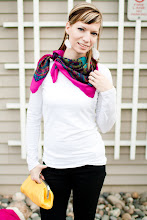
I've been thinking up this blog post for a few months already. It's somewhat of a collaboration of all the little things I've learned to help improve my pictures along the way, and I wanted to share those with you!
1. Calibrate!!!
I can't stress this enough! Until you finally do, you have no idea how off your computer screen colours actually are! For the first 8 months of my business I edited all my pictures on my laptop. I always had to crank the warmth in the white balance. Thought it was just bad Auto White Balance in my camera. When I bought my Mac desktop in September I was shocked at how different the images on my blog looked on the new computer! I couldn't stand the idea of my clients looking at my photos online or on their computers and seeing something totally different than what I saw on my computer! Yikes! So, pretty much the day after I bought my desktop, I bought the Spyder 3 Express calibrater. It's a little thing that plugs into your USB port and hangs over your monitor and goes through all the colours and figures out what your screen needs to be at in order to be the right colour. Let me tell you, the difference was insane! Not as insane on my desktop, but my laptop was a HUGE difference (you can use the Spyder on as many computers as you want, and it's portable too!) So now at least I know that the colours I've edited my pictures to be are true, and that's why I highly recommend ordering prints through me because my lab also calibrates their monitors so the colours come out pretty much exactly the same! I can't tell you how many photographer's pictures I've looked at where the colours are so off. They're probably good on their own computer, like I thought mine were, but in actuality they're pretty off.
2. Check your background!
This is so important. Look at what's going on behind your subjects when you're taking their pictures. There are so many potentially distracting objects out there. Not buildings and other normal background stuff, but little things like purses and cups or cars or anything else that takes away from the moment of the picture. We tend to focus on our models, which is a good thing, but we still need to keep our backgrounds in mind. Move your body so that the couple's bodies hide that stray garbage can in the backdrop, or move the couple all together if there's too much distraction, or move the garbage can! Set your scene! I still have to constantly remind myself about this. Too often than I'd like I end up having to delete an image because I didn't make note of what was going on in the backdrop.
3. Line 'em up!
Another big thing of mine is having straight lines. I'm uber anal about it. I'm one of those people that will get a twitch if I see a picture frame that isn't hanging straight. The same goes for my pictures. I level out most of my pictures, at least any that have an obvious line in them. It's a small thing, but it makes a huge difference. There's nothing worse that looking through photos taken at the beach and in every picture the horizon goes off at a 45 degree angle. When I first got my camera last January I was so busy focusing on how to use the camera and on my subject that I didn't even think about the background. I had some pictures with buildings in the back that were all tilted and it's been ever since then that I take time to notice my lines. That's just my style. If you like the tilted look, heck, tilt away!
4. Filter!
When you're going through your images, don't keep any that don't "wow" you. And don't keep any that are even slightly blurry, no matter how great the couple/subjects look. This was one of the biggest things I learned at WPPI and I'm so grateful for it! Nobody but you knows that that image ever existed so the clients will never wonder what happened to it! Instead of giving them a blurry image that makes them unsatisfied, why not give them only your crispest images that make them gasp in awe! And, along with blurry images, get rid of any where someone in the picture looks funny, or where there's bad lighting, etc. You are representing yourself and your work in your images, and your clients will show these images to their friends and family... if they like them. And if they don't, they might show them and say negative things, which is SO not what we want! Aim to make your clients rant and rave about you your work and their experience with you!
Those are my rambling thoughts for the day! I have been there, done that, and this is what I've taken from my own personal experience! Hopefully it will help someone else out there!
Thanks for reading!

Showing posts with label post processing. Show all posts
Showing posts with label post processing. Show all posts
6.03.2011

11.25.2010
FAQ /post processing
This week I've had a few people ask me about my workflow/post processing (ie: editing). So I figured I may as well write a post about it in case anyone else is interested in knowing what goes on behind the scenes!
What is your workflow process like?
Here's a quick run-down of what I do:
1. Take pictures
2. Come home, upload pictures onto computer
3. Import pictures into Lightroom
4. Go through all pictures and purge, getting rid of any blurry ones, blinking eyes, funny faces, etc.
5. Edit all pictures in Lightroom
6. Export edited images into JPEGs
7. Go through JPEGs and fine tune any that need touch ups, and convert to Black and White - this is all done in Photoshop CS5
8. Pick favourites, enhance, add watermark, resize
9. Post pictures on Facebook and write blog post
That's the main gist of it.
What kinds of tinkering are you doing in post? Do you play with saturation or curves? It looks like you're adding some vignetting?
My goal is to do as little tinkering as possible. Ultimately I'd love to have my pictures as close to perfect as possible SOOC (straight out of camera) as possible. Since I'm just using a more basic, entry level DSLR I can't expect that right now. I take my pictures using Auto White Balance but it's always off. It might be easier if I explain what I do using pictures. So this is what this image looked like SOOC.

It's got potential but the colour is pretty dead. Not my style, AT ALL! I tend to like my colours slightly on the warm side too, no one likes to look sick in their pictures!
So, first off, I use my sliders and adjust the white balance (Side Note: I shoot in RAW all the time which allows more room for adjusting your images in post. And I shoot in Manual mode.) Once I've got my Colour right I move to the Brightness and Contrast sliders. I like to crank my contrast quite a bit. I like my images to pop. I'm not a fan of soft images. Then I slightly add a little "Light"ness to the image and drop the "Shadows" a fair bit using the sliders as well.
I don't touch the saturation. I decided that I want my pictures to look clean and fresh and not overly processed. It's either full colour, or black and white. No in between. And I want to stay consistent with that.
(And, no, I don't do any vignetting (making the corners darker) because it didn't go with the look and feel of the pictures that I wanted to have. Plus, it's extra time editing that I don't want to have!)
So, after doing all that, here's what we got...

Much better!!
Now I'll take that image and open it in Photoshop and add a few enhancements using my Kubota Actions, add my watermark, resize for the web, and VIOLA! Picture is done!

I hope that made sense. I do hate showing my pictures SOOC because they're not the quality that I am happy with! But I know how much I appreciate it when other photographers show their images SOAC so I'll do the same in hopes that somebody appreciates it!! haha.
Enjoy the rest of your Thursday. Happy Thanksgiving to all my American readers!!!
PS: I have no idea why it's making such ginormous spaces between my paragraphs! I swear it doesn't look like that when I'm actually writing!
What is your workflow process like?
Here's a quick run-down of what I do:
1. Take pictures
2. Come home, upload pictures onto computer
3. Import pictures into Lightroom
4. Go through all pictures and purge, getting rid of any blurry ones, blinking eyes, funny faces, etc.
5. Edit all pictures in Lightroom
6. Export edited images into JPEGs
7. Go through JPEGs and fine tune any that need touch ups, and convert to Black and White - this is all done in Photoshop CS5
8. Pick favourites, enhance, add watermark, resize
9. Post pictures on Facebook and write blog post
That's the main gist of it.
What kinds of tinkering are you doing in post? Do you play with saturation or curves? It looks like you're adding some vignetting?
My goal is to do as little tinkering as possible. Ultimately I'd love to have my pictures as close to perfect as possible SOOC (straight out of camera) as possible. Since I'm just using a more basic, entry level DSLR I can't expect that right now. I take my pictures using Auto White Balance but it's always off. It might be easier if I explain what I do using pictures. So this is what this image looked like SOOC.

It's got potential but the colour is pretty dead. Not my style, AT ALL! I tend to like my colours slightly on the warm side too, no one likes to look sick in their pictures!
So, first off, I use my sliders and adjust the white balance (Side Note: I shoot in RAW all the time which allows more room for adjusting your images in post. And I shoot in Manual mode.) Once I've got my Colour right I move to the Brightness and Contrast sliders. I like to crank my contrast quite a bit. I like my images to pop. I'm not a fan of soft images. Then I slightly add a little "Light"ness to the image and drop the "Shadows" a fair bit using the sliders as well.
I don't touch the saturation. I decided that I want my pictures to look clean and fresh and not overly processed. It's either full colour, or black and white. No in between. And I want to stay consistent with that.
(And, no, I don't do any vignetting (making the corners darker) because it didn't go with the look and feel of the pictures that I wanted to have. Plus, it's extra time editing that I don't want to have!)
So, after doing all that, here's what we got...

Much better!!
Now I'll take that image and open it in Photoshop and add a few enhancements using my Kubota Actions, add my watermark, resize for the web, and VIOLA! Picture is done!

I hope that made sense. I do hate showing my pictures SOOC because they're not the quality that I am happy with! But I know how much I appreciate it when other photographers show their images SOAC so I'll do the same in hopes that somebody appreciates it!! haha.
Enjoy the rest of your Thursday. Happy Thanksgiving to all my American readers!!!
PS: I have no idea why it's making such ginormous spaces between my paragraphs! I swear it doesn't look like that when I'm actually writing!
9.02.2010
Website and Big Macs
Hi, I'm here! I know it's been awhile and I haven't been maintaining my daily post quota. BUT I have great excuses!!! The main one being that I have been busily working on my website and am proud to say that it's officially in Cyber space, for all the world to see! If you haven't seen it yet, then, first of all, you need to "Like" my Facebook page for all the current updates! And secondly, you need to check out this website ASAP!.....
www.vanessavoth.com
You'll notice on there (again, if you are part of my Facebook page you already know this) that I have a new logo and design overall. This is a HUUUGEEE thank you to my friend, Frances, of Frances Eden Creative who did all my branding and designing and I couldn't be happier with the result!
I also bought a new computer for my office. It's a Mac. I've only ever owned PC's so this is a huge step for me. It's like meeting someone from a different country for the first time and trying to learn their culture. It's not easy. Everything's different. I don't normally do too good with change but I'm embracing the Mac. I love the big screen. I love working with a mouse, my finger always cramped up using the laptop.
We also have all the updated and new software for this computer as well, since the programs I had were for PC, not Mac. But it's great! Still need to get used to all the new functions of the Mac and transfer all my files over, so things might slow down just slightly for a little bit. But once it's all done, I'll be working like rapid fire!
I just have to test the colour quality with my Professional printers again to make sure I'm calibrated with them so we don't get any funky colourings going on.
Anyway, I had a photo shoot yesterday with one of my high school volleyball coaches and her oh-so-adorable son!!!! Here's a quick Sneak Peek and it's the first photo with my new watermark (name) on it!! Thanks again, Frances!

www.vanessavoth.com
You'll notice on there (again, if you are part of my Facebook page you already know this) that I have a new logo and design overall. This is a HUUUGEEE thank you to my friend, Frances, of Frances Eden Creative who did all my branding and designing and I couldn't be happier with the result!
I also bought a new computer for my office. It's a Mac. I've only ever owned PC's so this is a huge step for me. It's like meeting someone from a different country for the first time and trying to learn their culture. It's not easy. Everything's different. I don't normally do too good with change but I'm embracing the Mac. I love the big screen. I love working with a mouse, my finger always cramped up using the laptop.
We also have all the updated and new software for this computer as well, since the programs I had were for PC, not Mac. But it's great! Still need to get used to all the new functions of the Mac and transfer all my files over, so things might slow down just slightly for a little bit. But once it's all done, I'll be working like rapid fire!
I just have to test the colour quality with my Professional printers again to make sure I'm calibrated with them so we don't get any funky colourings going on.
Anyway, I had a photo shoot yesterday with one of my high school volleyball coaches and her oh-so-adorable son!!!! Here's a quick Sneak Peek and it's the first photo with my new watermark (name) on it!! Thanks again, Frances!

4.16.2010
Swingin' and Teeterin'
Last weekend James, Cheyenne and I went for a nice walk around the neighbourhood. We stopped by the local park to let Cheyenne swing for a while. She just loves the swings and it was a gorgeous day outside. A win-win situation. We also put her on the Teeter Totter (is that how you spell it??) for the first time, but she wasn't as keen about that.
I just love the way this picture turned out.


I'll be MIA for a little while but will try to get a few pictures posted whenever I get around to it. My husband's family is planning on taking advantage of me while we're visiting, but in a good way! =) They've got lots of photo shoots planned for me and I can't wait! There'll be a Newborn session (mind you, my nephew is already 2 months old so it'll be more of a baby session!), a Couples session, a Fashion session, a Re-Live the Dress session (that's what I'm calling shoots where women want to wear their wedding dresses again but not necessarily trash them!), and a bunch of other random pictures I'm sure!
Oh, I also purchased some new editing tools from Kubota Imaging Tools. I've been playing around with it tonight and am SO excited about what I can do with my pictures now. Nothing drastic, but just small enhancements that totally make them come out the way I want. I'm still working on perfecting my style and I think these tools will aid me in that direction. At least a little bit!
I've also learned a few more things about my camera and I'm looking forward to trying out a few different techniques and settings during my photo shoots this week.
Wishing you all a fabulous weekend!
I just love the way this picture turned out.


My husband took this next one for me.

Oh, I also purchased some new editing tools from Kubota Imaging Tools. I've been playing around with it tonight and am SO excited about what I can do with my pictures now. Nothing drastic, but just small enhancements that totally make them come out the way I want. I'm still working on perfecting my style and I think these tools will aid me in that direction. At least a little bit!
I've also learned a few more things about my camera and I'm looking forward to trying out a few different techniques and settings during my photo shoots this week.
Wishing you all a fabulous weekend!
Subscribe to:
Posts (Atom)